
Charge your EV straight from your phone
Find a UGV Chargers station, start a charging session with a QR code or RFID, monitor progress and manage payment in one mobile app.

From finding a station to reviewing your charging history
The UGV Chargers mobile app brings the main charging functions together in one interface for everyday EV use.
Find charging stations
View UGV Chargers locations on the map and check the information available for each charging point.
Start with a QR code
Scan the QR code on the station or use RFID where supported to start charging.
Manage payment
Complete supported charging payments through the app according to the tariff of the selected station.
Track charging statistics
Review charging history, consumed energy and charging costs over time.
Receive status notifications
Get charging-related notifications, including supported session and station status updates.
Use it on iOS and Android
The app is available for modern iOS and Android devices and supports five interface languages.
Charge your EV in four simple steps
Download the app
Install UGV Chargers from the App Store or Google Play and create your account.
Find a station
Choose a UGV Chargers location from the charging station map.
Connect and start
Connect your EV and start the charging session using the available method, such as QR or RFID.
Monitor the session
Follow charging progress and review the completed session in the app.
Charging information in one clear interface
The app combines registration, station search, charging sessions, statistics and account settings.


One app for AC and DC charging in the UGV Chargers network
The app gives drivers access to charging stations connected to the UGV Chargers network and brings charging information, sessions and account functions together.
View EV charging station map →Need your own branded charging app?
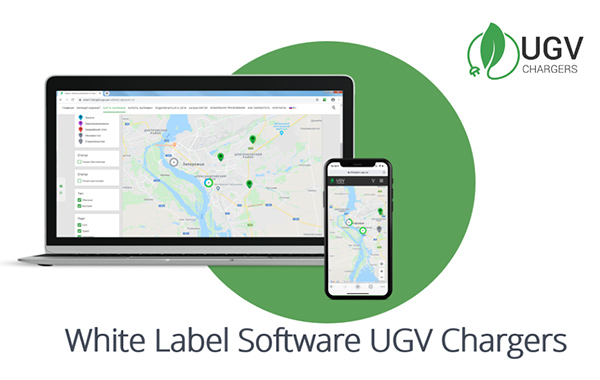
UGV Chargers also provides a White Label platform for operators that want their own customer-facing app, web interface and charging network administration.
Start charging from your phone
Scan the QR code or open the relevant store to install the UGV Chargers mobile app.
 App Store
 Google Play
Frequently Asked Questions About the UGV Chargers App
Is the UGV Chargers app free? +
Which devices does the app work on? +
Is payment card information stored in the app? +
Which languages are available? +
Can a business operate its own branded charging network? +
Questions about charging, the app or the UGV Chargers network?
Contact UGV Chargers if you need help with the mobile app, charging access or connecting a business charging project to our ecosystem.